How to use
Steps to enable Two-Factor
Authentication (2FA) for Discord
1. Locate 2FA on Discord
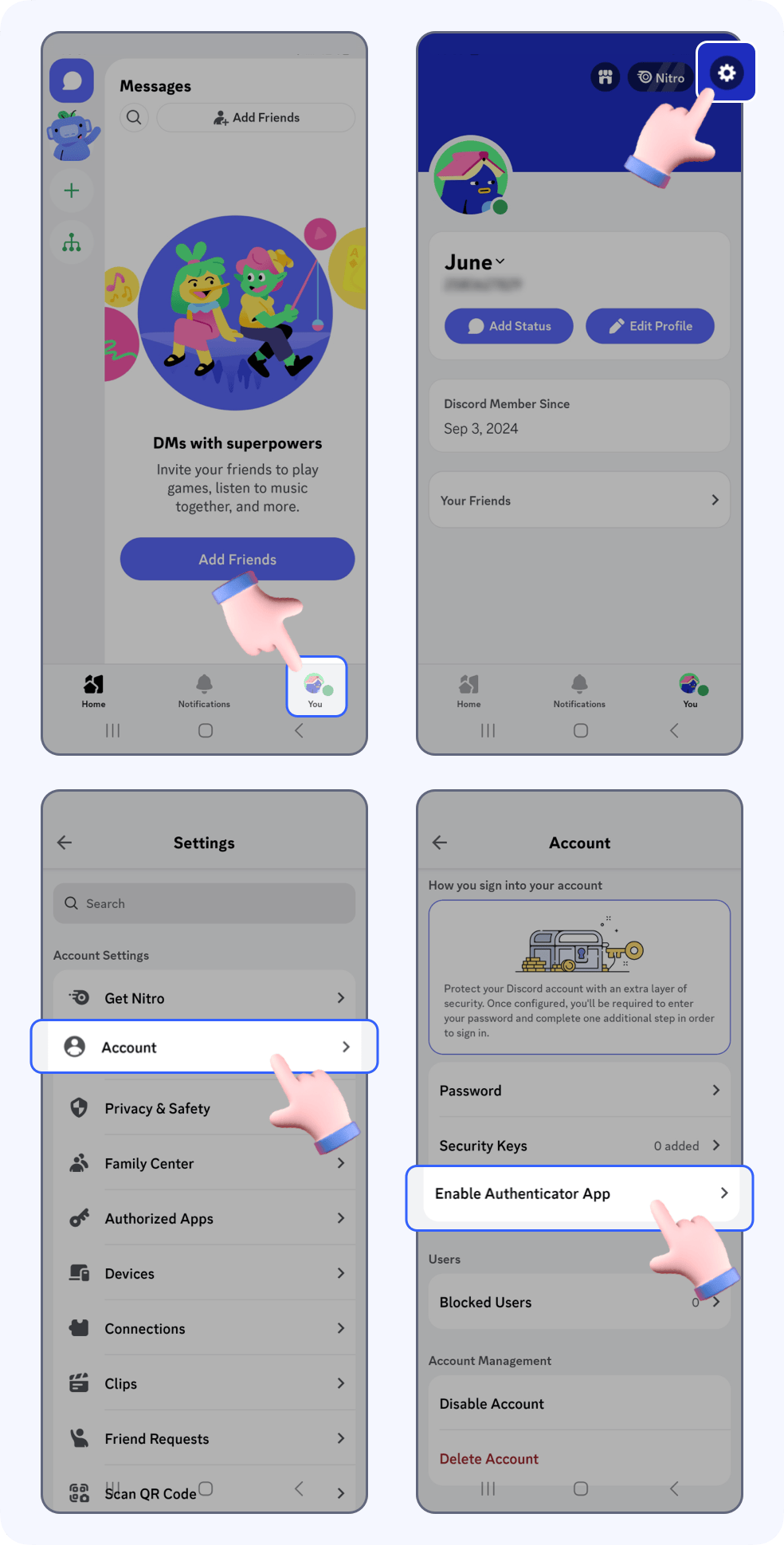
Open Discord, tap the Profile icon in the right corner, then tap -> Setting -> Account -> Enable Authenticator app.
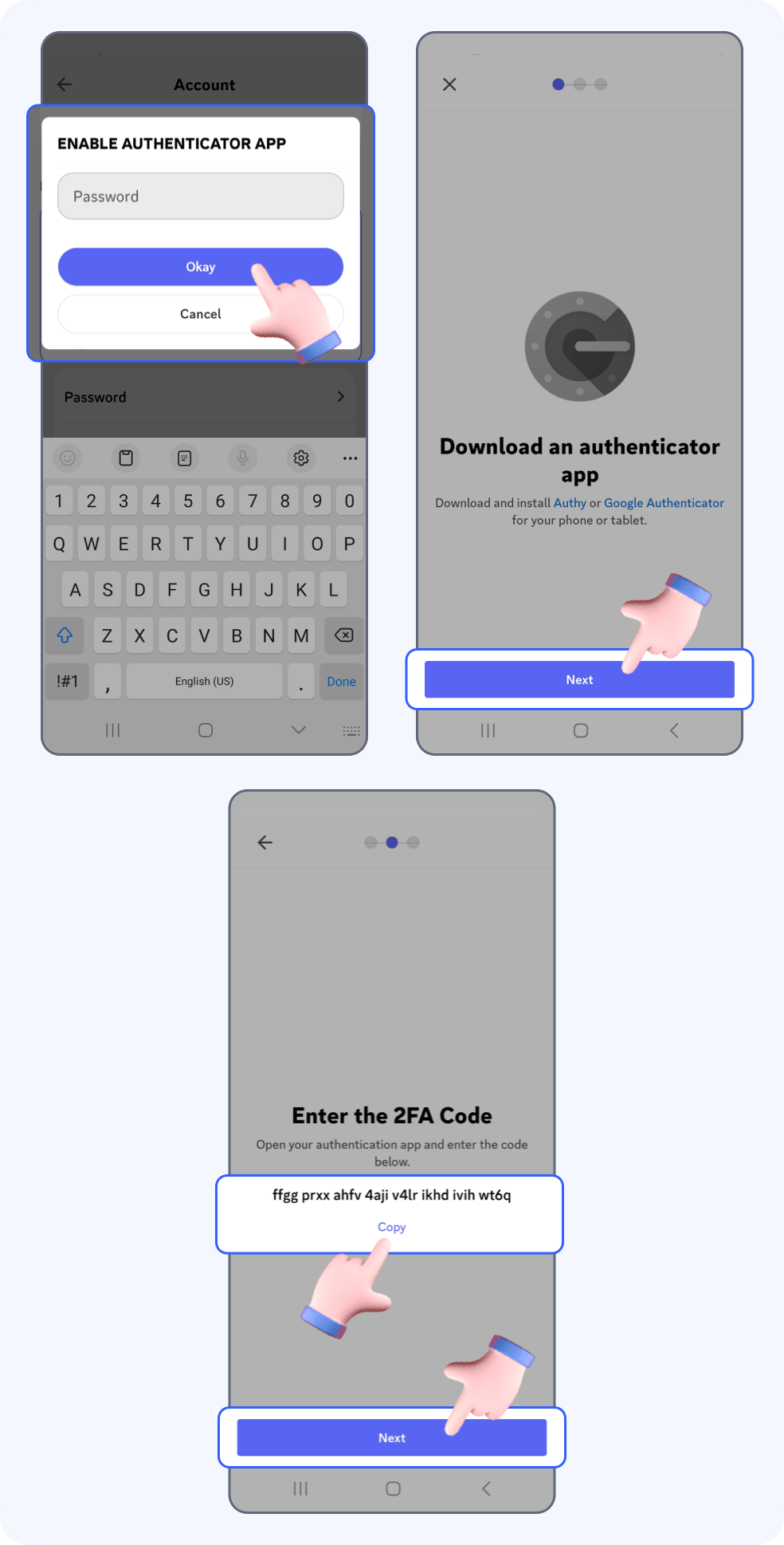
Enter your password, tap Okay -> Next -> copy the secret key -> Next.
2. Bind your Discord account
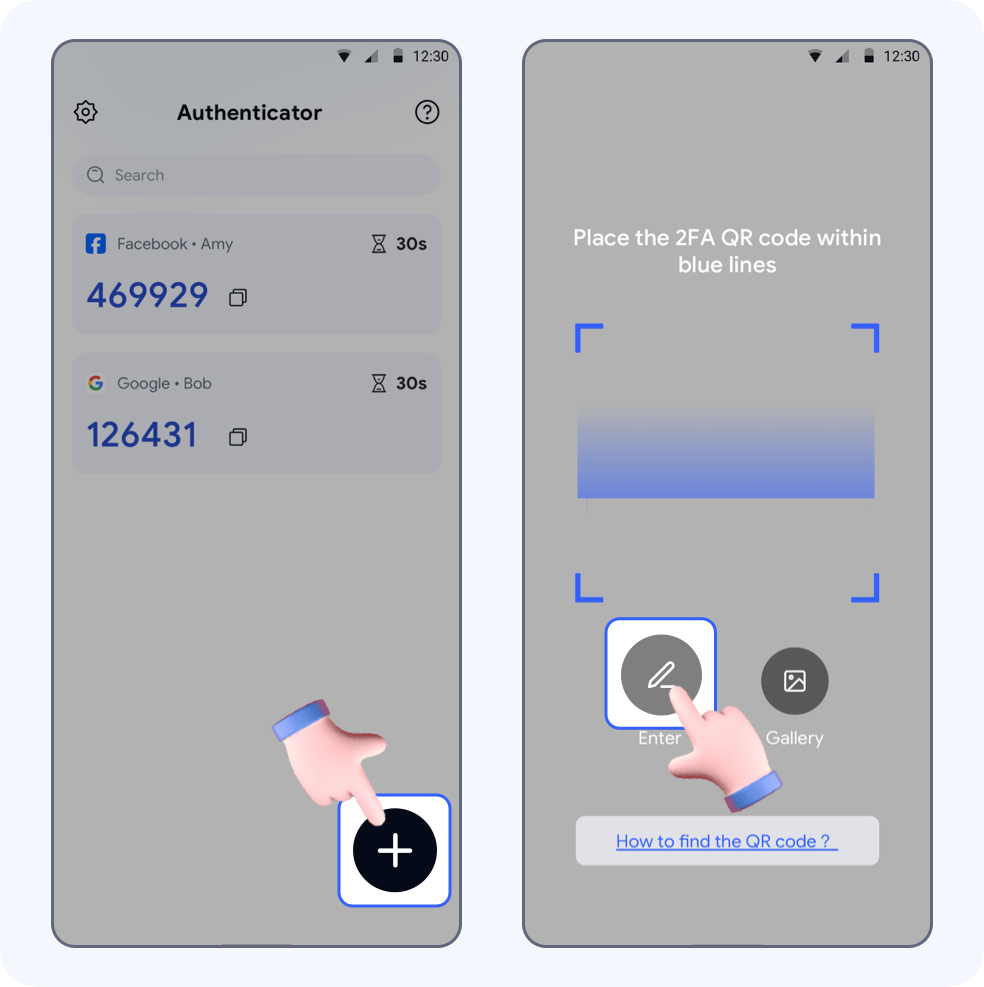
Open Authenticator, tap +, go to the automatic scanning page, then click Enter.
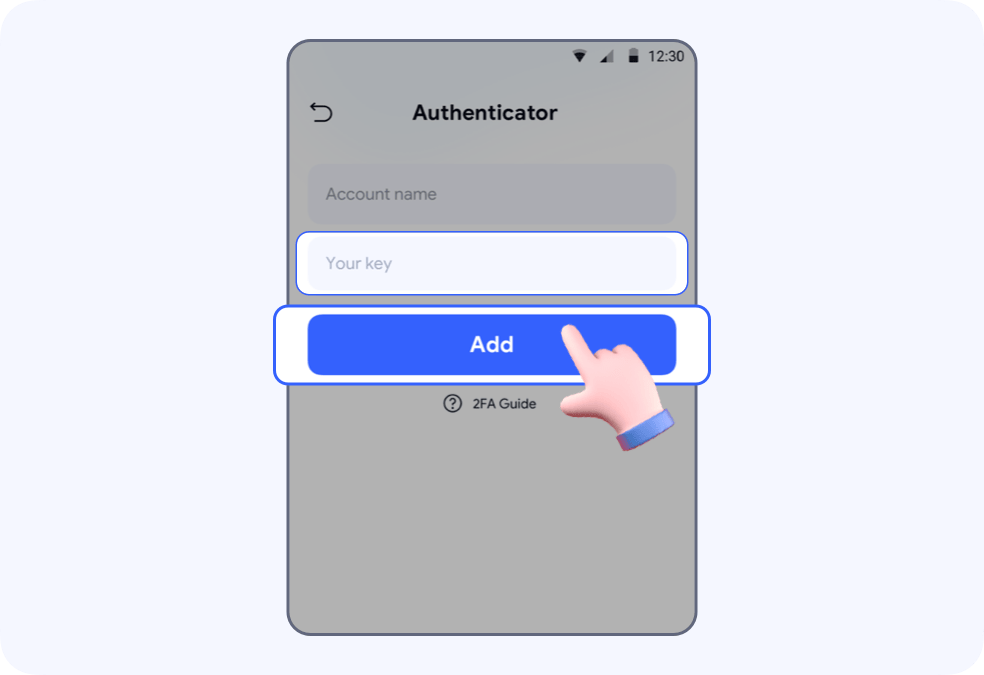
Enter “Discord” in Account name and paste the key in Your key -> tap Add
Copy the auto-generated 6-digit code and return to Discord.
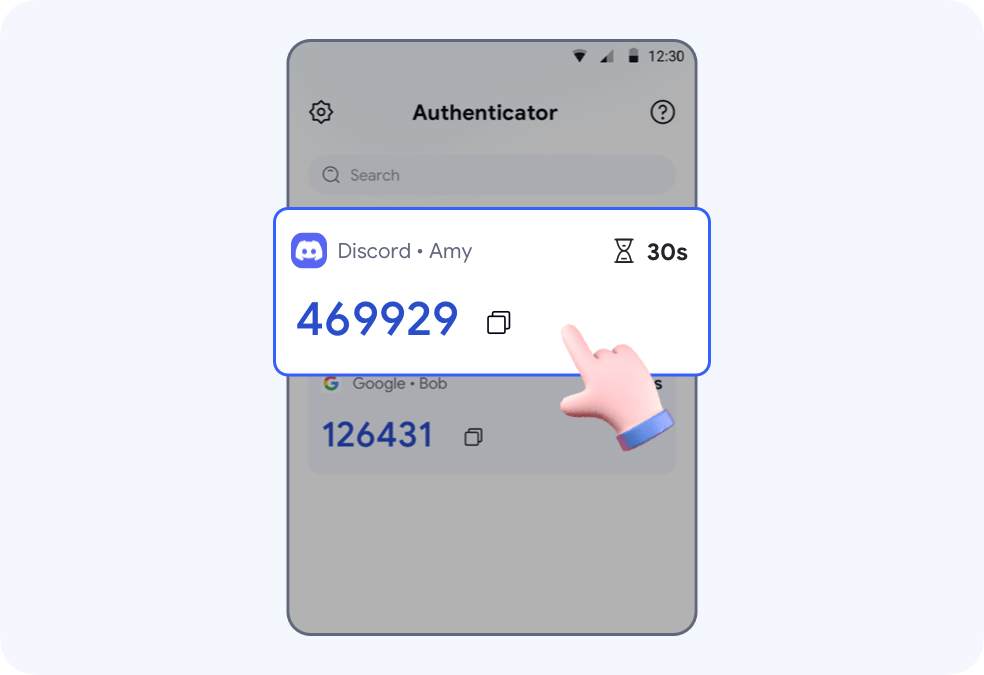
Tap Next, paste the code in the input field
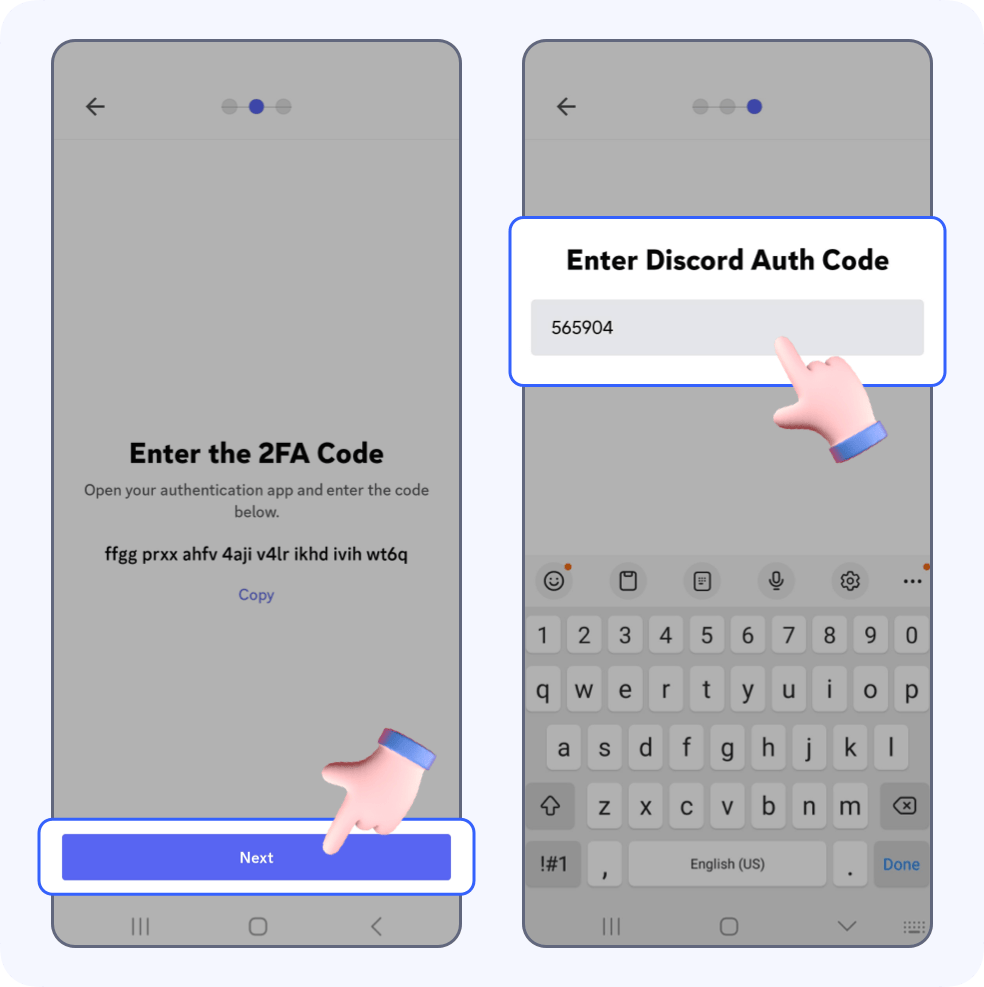
🎉Tap Done, you’re all set! Two-factor authentication is successfully turned on for your Discord account.